Layout pool options
Important:
This section comprises the description of functions specific for the layout pool. Please see all the general settings in Adjust pool options.
Open the Options
Section titled “Open the Options”- Open the layout pool first. For more information on how to open the layout pool see Create a layout.
- Then, tap
 in the upper left corner of the layout pool.
 - The option dialog opens.
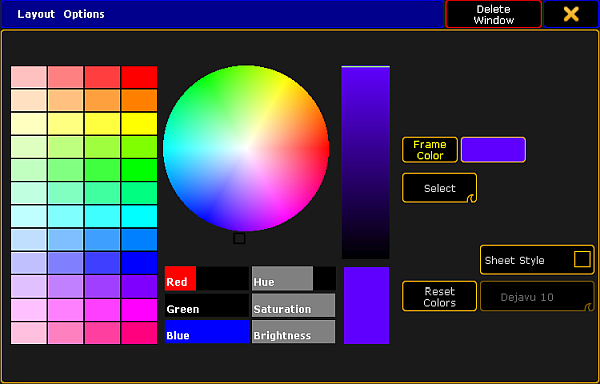
Layout pool options
- To adjust the frame color, reset colors or to apply a different style and font size see Adjust pool options.
- To display the single layouts in the layout view, tap and swipe the button to Select below the button Frame Color.
- If you want to set the layout for the bitmap fixture, tap and swipe the button to At below the button Frame Color.
- If you have adjusted the options of the layout pool to your liking, leave the options:
-Tap in the upper right corner of the dialog and the dialog closes.
-If you would like to close the layout pool altogether, tap Delete Window.