Mirror ports
In port mirroring, the entire traffic that arrives at a port is mirrored onto a mirror port of the MA Network Switch.
Port mirroring is most commonly used in debugging or for the analysis of the network traffic such as the network load.
Important:
The MA Network Switch mirrors several source ports to one destination port. Vice versa, it is possible to set a single destination port at a time.
Requirement:
To mirror ports:
- Open the MA Network Configuration:
-Press Setup and tap Network MA Network Configuration.
-The window MA Network Configuration opens.
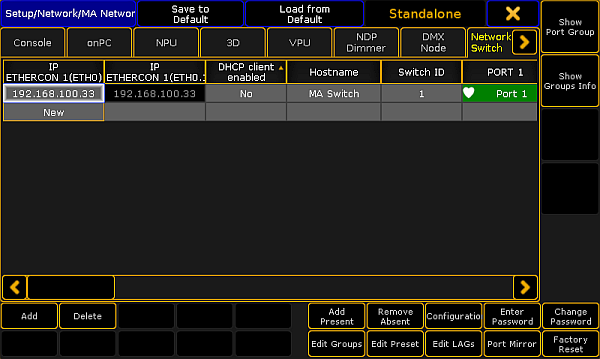
MA Network Configuration – Network Switch
- Tap Network Switch.
- Tap a cell in the row of the MA Network Switch you would like to edit and tap Port Mirror.
-The pop-up Configure MA Network Switch Port Mirrors opens.
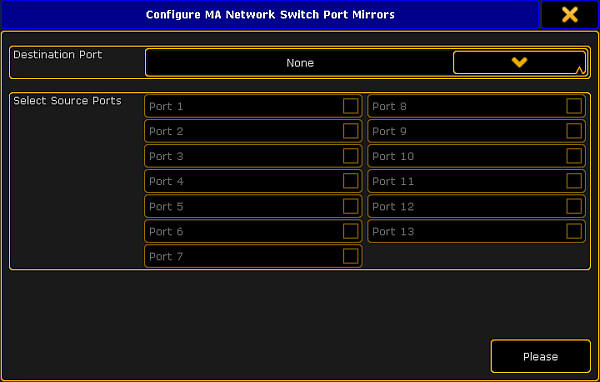
Mirror ports
- Select destination port:
-Tap the button in the field Destination Port and select a port. - Select source ports:
-Check the checkboxes corresponding to the source ports. - After checking one or several source ports tap Please.
- The ports are now mirrored.
Hint:
A port is never destination and source at the same time.