To get the RdmInfo keyword in the command line, type RdmInfo or the shortcut RdmI in the command line.
Description
Section titled “Description”The RdmInfo keyword opens the RDM info pop-up with the actual RDM information to the entered fixture or channel.
The RdmInfo keyword is a function keyword.
For more information, see RDM.
Syntax
Section titled “Syntax”RdmInfo [Channel / Fixture] [ID]
RdmInfo [Channel / Fixture] [ID] / [screen] [ID]
Examples
Section titled “Examples”To open the RDM Info pop-up for fixture 3, type in the command line:
[Channel]> RDMInfo Fixture 3
The RDM Info pop-up opens.
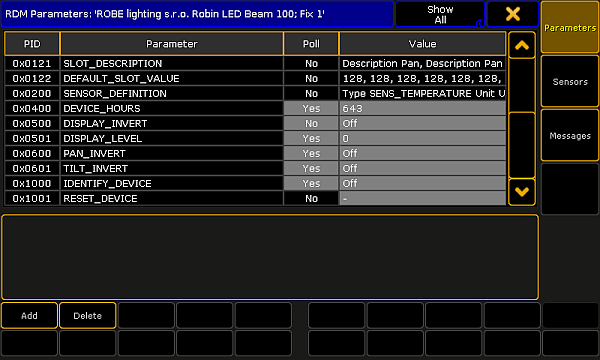
RDM Info pop-up
To open the RDM Info pop-up for fixture 3 on screen 3:
1. Type in the command line:
[Channel]> RDMInfo Fixture 3/screen = 3
2. Press Please.
The RDM Info pop-up opens on screen 3.